
How to use it?
- Signup by using your Google login or signup using signup form.
- Click on the “Launch the Editor” to open online editor.
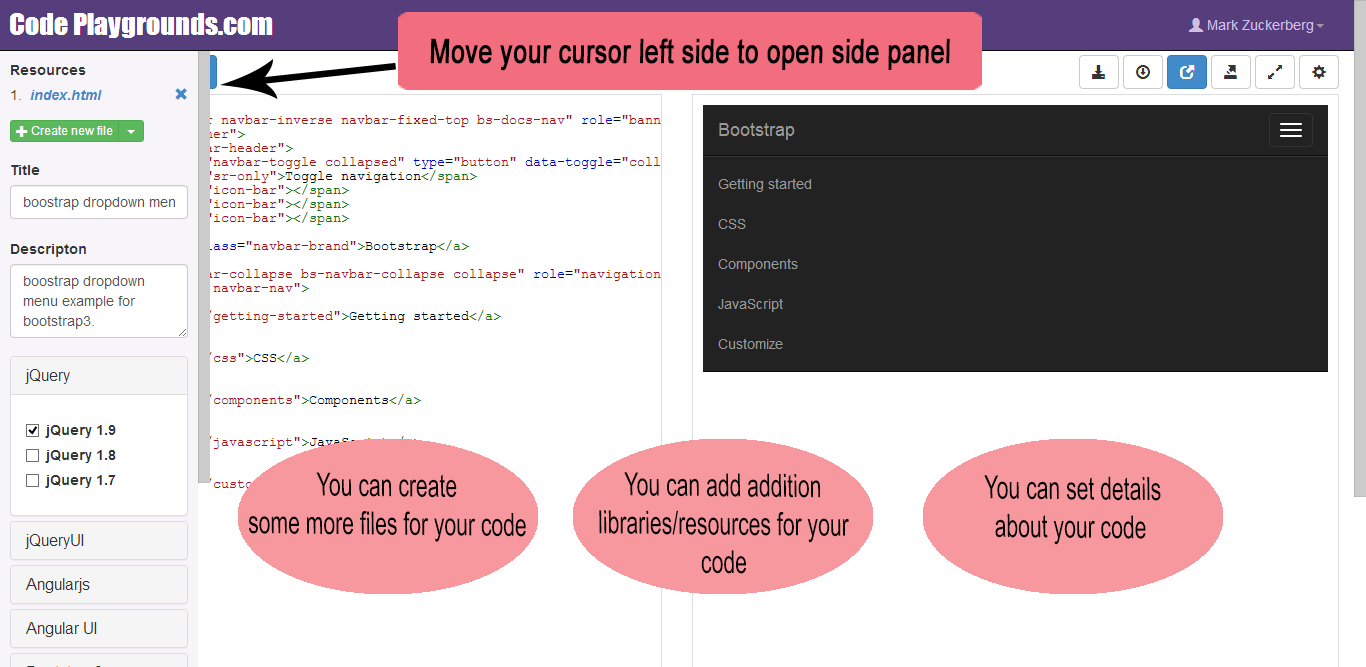
- Move your cursor left side to open side panel.
-
- You can create some more files for your code
- You can add addition libraries/resources for your code
- You can set details about your code
You can save your code to share it for other users
Click on “Get shareable link” button to get the link.
you can share your code in 3 different ways:
- Share code link
- Share full screen result
- Share short URL
 Code Playgrounds